Kiwi, your proactive assistant.
It keeps track of what’s coming up, your trips, plans, bills and the people in them, and texts you at the right moment. When something needs doing, it does it when you say yes.
iMessage
Friday 7:12 pm
Your Saturday afternoon is free this weekend. Do you want me to plan something with the kids, or are you staying in?
The flights, the bills, the replies, the birthdays. Each one pulls you back to your phone. Kiwi keeps track of them, and tells you in time.

Just a heads up, your flight tonight has been delayed by an hour, so you’ll land at around 1:20 am. Do you want me to book a taxi to pick you up from arrivals?
Kiwi texts you first.
It reads your calendar and email, so it knows what’s coming up. It texts you once, at the right time, with the small jobs already done.
- It reminds you an hour before the call, with the link
- It sends your ticket on the night, with what to bring
- It spots a delayed flight and books a car for when you land

Works with the apps you already use.
Your calendar and email first, then Slack, WhatsApp, Spotify and many more.
- Connect them once
- When there’s no app for it, Kiwi uses the website
- Talk to it in Messages, WhatsApp or the Kiwi app

Your parcel needs a signature tomorrow, and you’re at the office until 6. Do you want me to move the delivery to Saturday?
Yes please
Done, it’s moved to Saturday morning, and UPS has confirmed it
Say yes, and it’s done.
Kiwi books, orders and replies for you, on any app or website, as soon as you say yes.
- Anything that costs money shows its price first
- It only says booked once the company confirms
- It never pays twice for the same thing

Your dinner on Saturday is at 9. Do you want me to book a car to get you there for 8:50? An UberX is about €14, or a Comfort is €18
The UberX is fine, thanks
Done, it’s booked to pick you up at 8:35. I’ll let you know when your driver is close
You stay in control.
Anything that costs money or speaks for you waits for your yes. Nothing in an email or on a website can tell it what to do.
- Nothing is paid or sent without your yes
- Your passwords stay secret
- Your data is never sold
Coming later
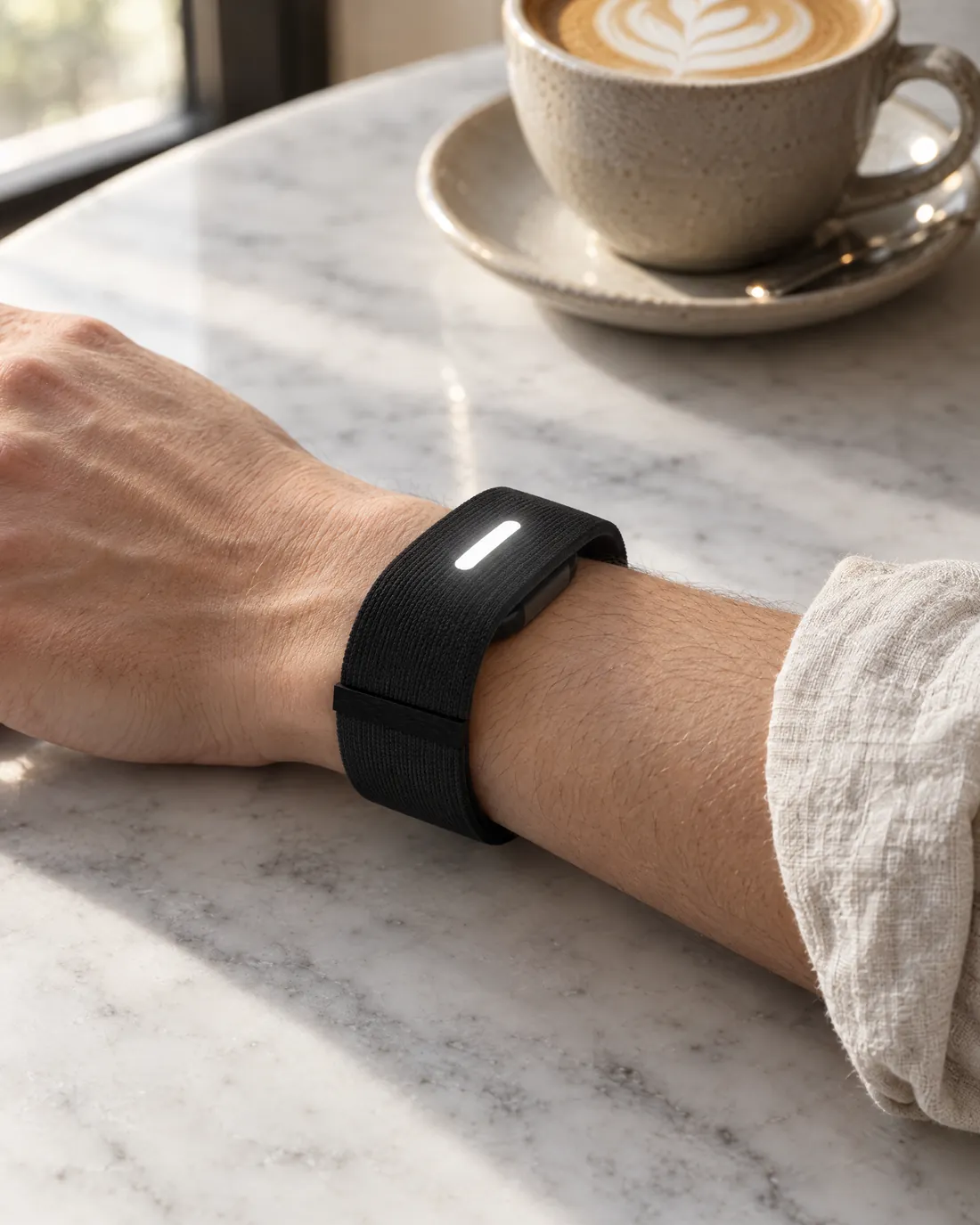
The Kiwi Band.
Kiwi, without the phone.
Questions.
What is Kiwi?
Kiwi is an AI assistant that keeps track of what’s coming up in your life, tells you in time, and does the small jobs when you say yes. So you spend less time on your phone, and more time with the people around you.
Why not just do it myself?
You can. But each one means opening an app and tapping through it, and the small ones tend to wait until later. Kiwi brings them to you at the right time, and gets them done while you get on with your day.
How does Kiwi know what needs doing?
Kiwi reads your calendar and email, so it knows what’s coming up. It texts you once, at the right time, and anything that can wait comes in your morning summary.
Does Kiwi do anything without asking me?
It puts your own plans in your calendar and sets reminders, so you don’t have to. Anything that costs money or messages someone waits for your yes. Reply with one word, and it only asks again if something is unclear or the price changes. Anything that costs money shows its price first. And nothing written in an email or on a website can tell Kiwi what to do. Only you can.
How do I know something is really done?
Kiwi only says something is booked once the company confirms it, and it never pays twice for the same thing. After each conversation, it goes back over it and fixes anything it got wrong or forgot to do.
Is my data safe?
Your passwords are encrypted before they’re saved (AES-256-GCM), and Kiwi’s AI never sees them. Your data is never sold: no ads, and nothing shared for marketing. Nobody at Kiwi reads your conversations. You can delete a single memory, or your whole account and everything in it, from the app.
Which apps does Kiwi work with?
Your calendar and email first: Google Calendar, Gmail and Outlook. Then the rest you already use, like Slack, WhatsApp, Spotify, Uber and many more. And when there’s no app for it, Kiwi can use any website for you.
Where do I talk to Kiwi?
In the Kiwi app, in Messages and in WhatsApp.
What is the Kiwi Band?
A band for your wrist, with no screen. It buzzes when Kiwi needs you, and you answer with a tap or your voice, so your phone can stay in your pocket. It’s coming later, and isn’t available yet.
How do I get Kiwi?
Tap Sign up on this page and pick your phone, iPhone or Android. It opens Messages or WhatsApp with “Hi Kiwi” already written, so you just press send, and Kiwi asks a few quick questions to set you up.

Sign up in a minute.
Kiwi asks a few quick questions in the chat, then tells you when you’re in.
Which phone do you have?
It opens with “Hi Kiwi” already written. Just press send.
Prefer WhatsApp? Use WhatsApp instead
Already have Kiwi? Sign in